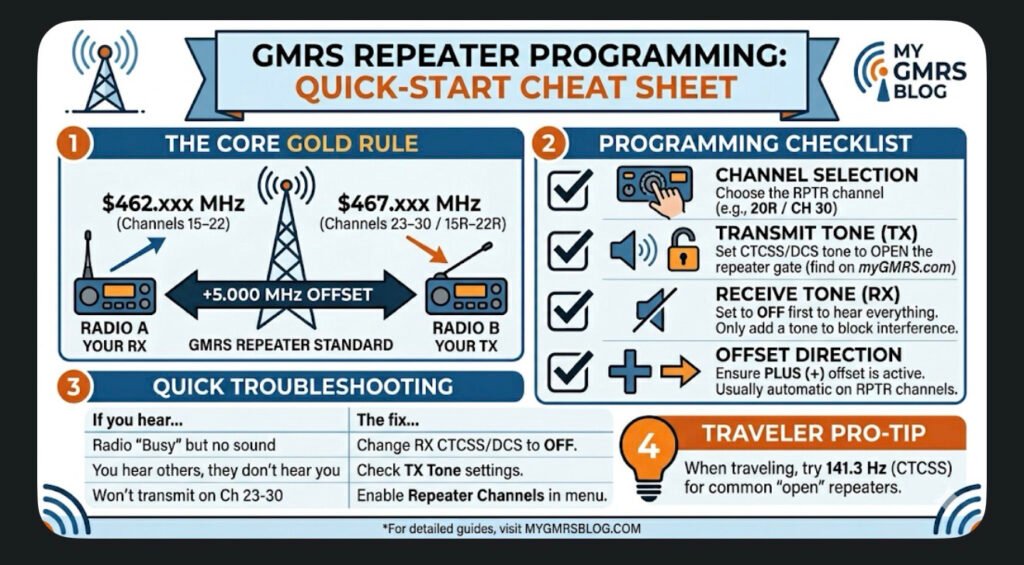
This guide covers the universal logic used by most GMRS-certified radios (like those from BTECH, Wouxun, Midland, and Radioddity). Use this to ensure your radio is talking to the repeater correctly every time.
1. The Core “Golden Rule”
GMRS repeaters operate on a \bm{+5.000\text{ MHz}} Offset.
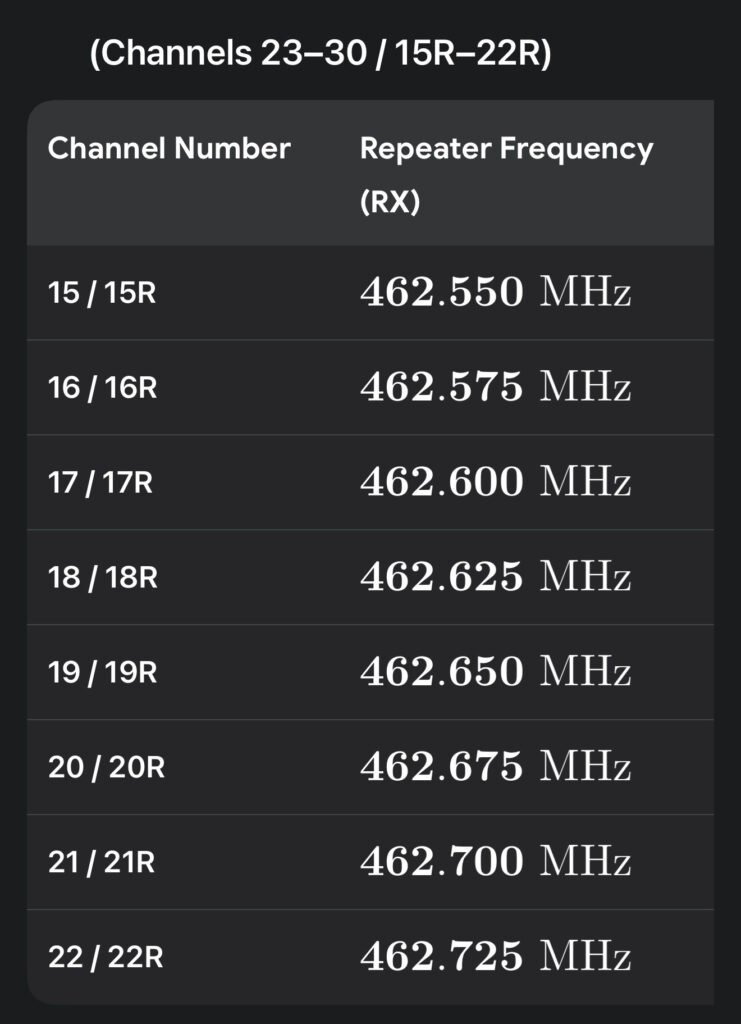
• You Listen (RX) on: \bm{462.\text{xxx MHz}} (Channels 15–22)
• You Talk (TX) on: \bm{467.\text{xxx MHz}} (Channels 23–30 / 15R–22R)
2. Programming Checklist
Check off these four settings in your radio’s menu to ensure a successful connection:
• [ ] Channel Selection: Choose the repeater-specific channel (e.g., 20R or CH 30).
• [ ] Transmit Tone (TX CTCSS/DCS): Set this to the tone required by the repeater owner (found on myGMRS.com). This “opens” the repeater’s gate.
• [ ] Receive Tone (RX CTCSS/DCS): Set this to OFF or None first. Only add a tone here if you want to block out other interference.
• [ ] Offset Direction: Ensure it is set to PLUS (+). Most GMRS radios do this automatically on repeater channels.
3. Troubleshooting: Why Can’t I Hear the Repeater?
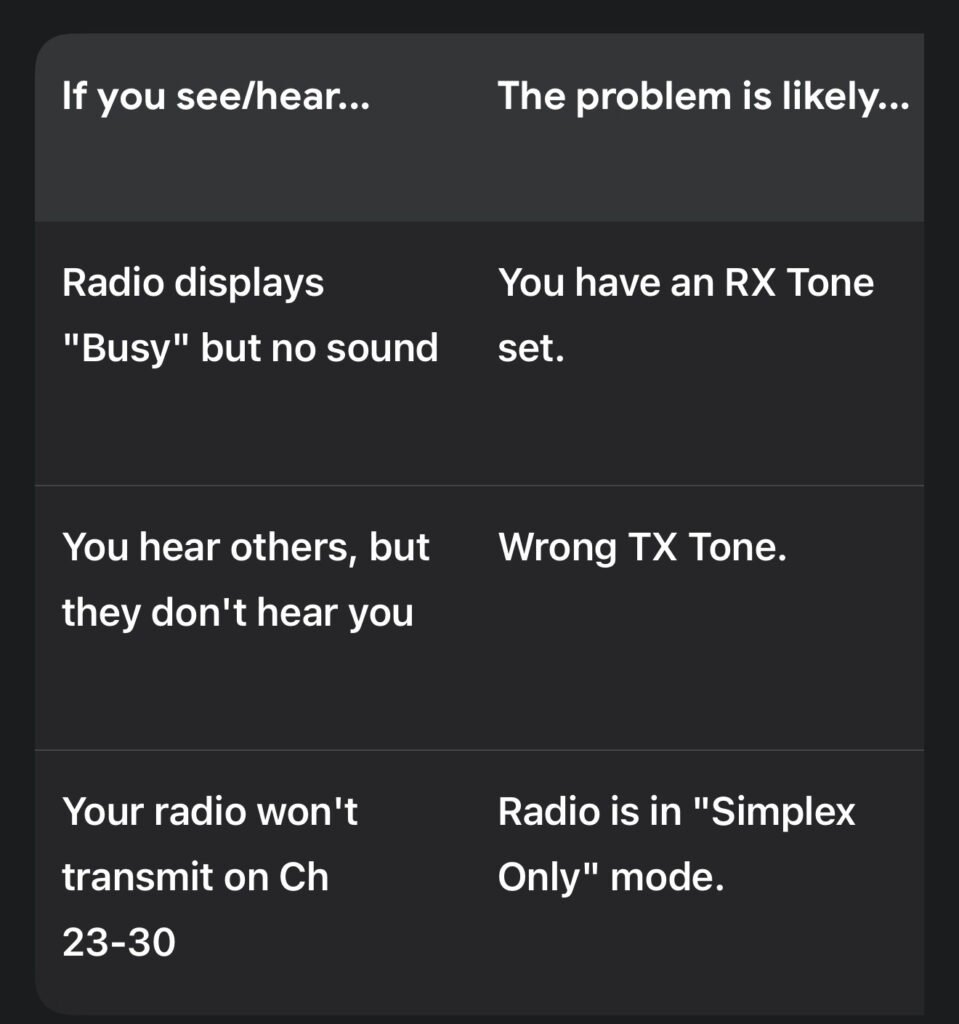
Pro-Tip: If you are traveling and don’t know the local tone, try 141.3 Hz. This is the widely accepted “traveler’s tone” used by many open repeaters across the country.
4. Sample Radio Check
“This is [Your Call Sign], listening on the [Repeater Name] repeater. Can I get a signal report?”
Wait for a response. If you hear a short burst of static (the “tail”) after you let go of the PTT, you have successfully “hit” the repeater!